How to Use Nano Banana: Google's AI for Editing Photos for Free!
Nano Banana by Google: how to use the free Gemini AI to create and edit images. Step-by-step tutorial, prompts that work and what the Pro version adds.
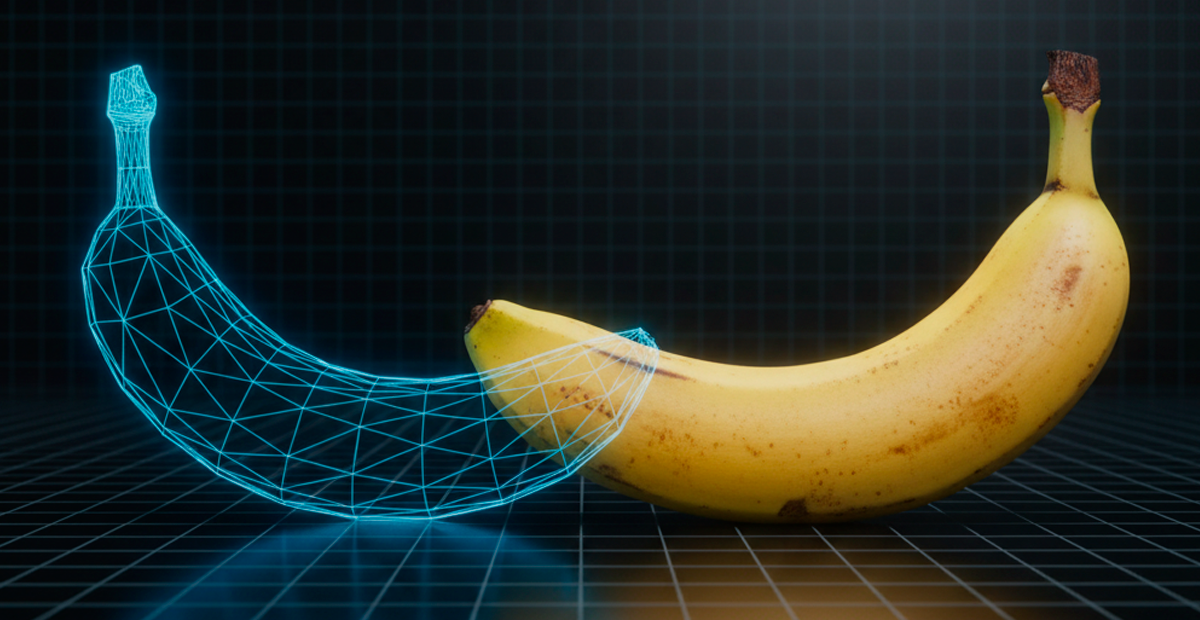
Can you imagine being able to edit photos, blend images, or change backgrounds simply by typing what you want? With artificial intelligence, this is already a reality, and Google has launched a tool that's revolutionizing editing: Nano Banana. This code name refers to Google's latest image editing model, integrated into the Gemini app. If you're looking for a fast, efficient, and above all free way to bring your visual ideas to life without being a Photoshop expert, you've come to the right place. In this article, we'll show you step by step how to use Nano Banana and why it has become the best option for AI image editing.
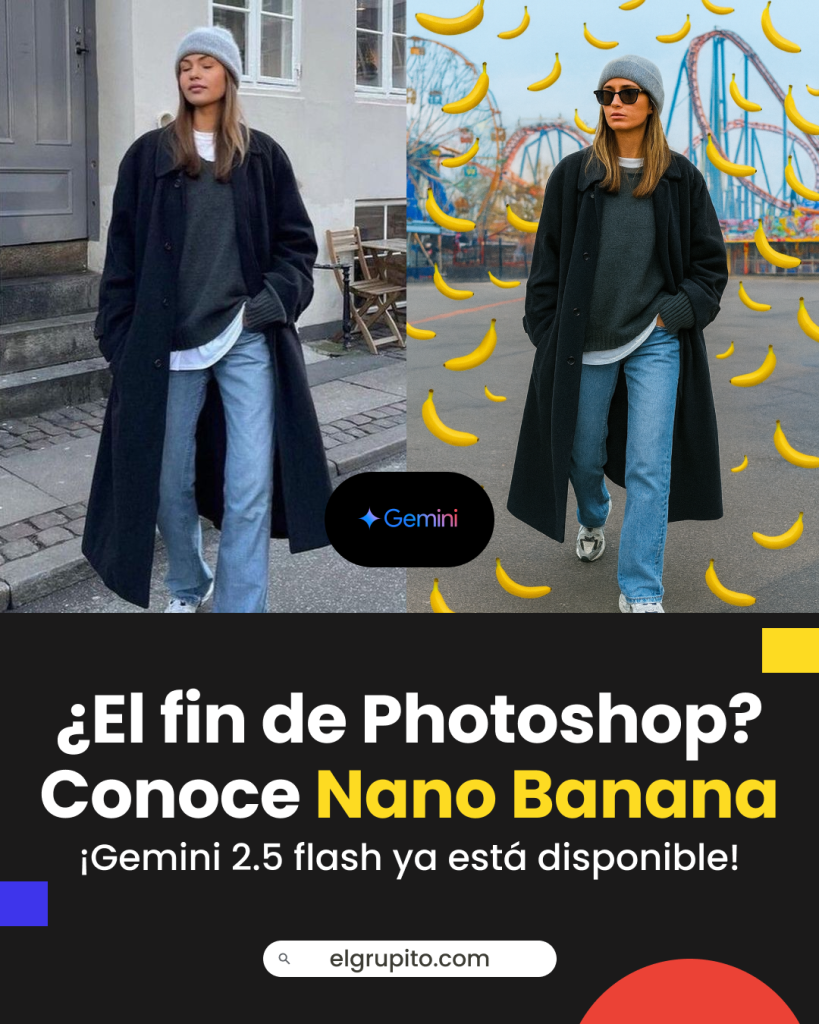
What Is Nano Banana and Why Is It So Popular?
Nano Banana is the nickname for the Gemini 2.5 Flash Image model, an advanced Google tool that lets you edit and generate images from text commands. The tool is not only incredibly powerful but also very intuitive, making it accessible to anyone. It has been rated as "the best image editing model in the world" for its ability to generate stunning results.
Update: Since February 2026, Google has released Nano Banana 2 (based on Gemini 3.1 Flash Image), which improves the quality and speed of the original model. Everything you learn in this guide applies to both the original version and Nano Banana 2, since the interface and the prompts work the same way.
How to Use Nano Banana in the Gemini App: Step-by-Step Guide
Accessing Nano Banana is surprisingly simple, as it's integrated directly into the Gemini app. Follow these steps to get started:
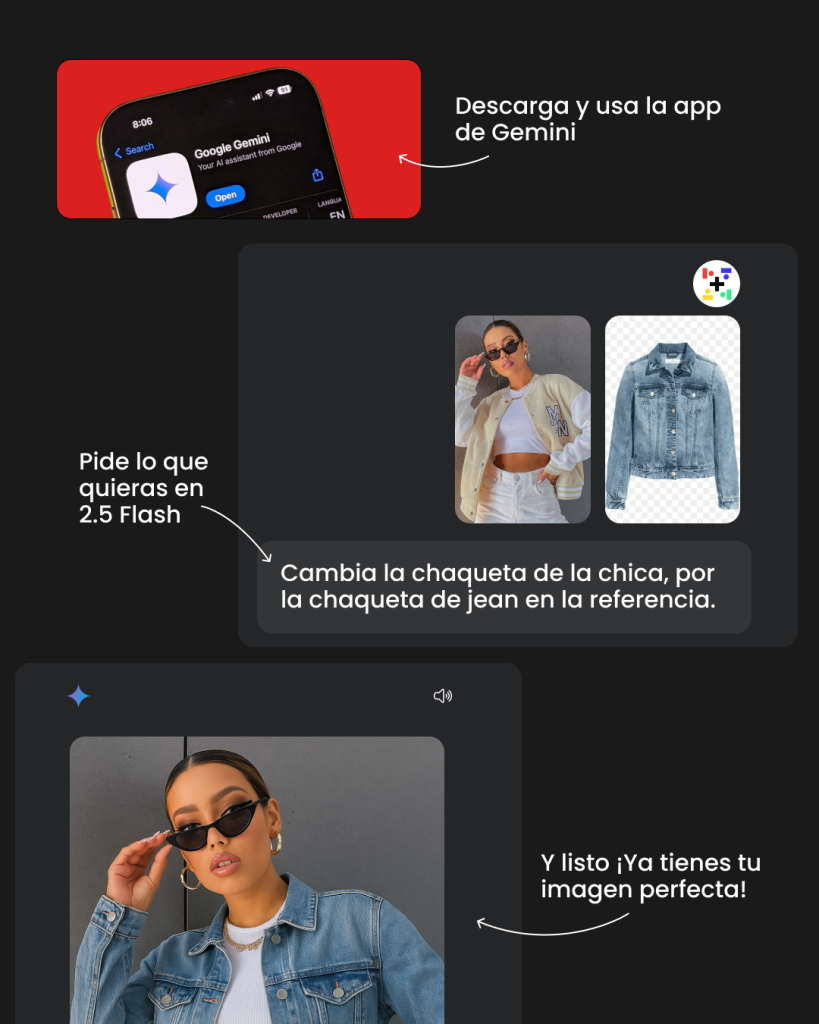
- Download the app: If you don't have it yet, download the Gemini app on your smartphone from the App Store or Google Play. The tool is available in countries where the app is available.
- Open the app and start chatting: Once inside, you can simply start typing your commands. The interface is like a chat, making the interaction very natural.
- Use a clear prompt: Here's the secret to getting the best results. Be as specific as possible. A good prompt should include:
- Action: what you want the AI to do (e.g., "remove...", "add...", "change...").
- Object: the element you want to edit (e.g., "the person", "the background", "the dog").
- Detail: any additional characteristics to help the AI (e.g., "make the background a foggy forest", "the person wearing a superhero costume").
- Upload your image (optional): If you want to edit a photo you already have, upload the image from your gallery. Then, simply type your editing command. For example: "change the background of this image to a tropical beach."
- Generate and adjust: In seconds, Gemini will present the result. If you don't like it, you can ask it to make adjustments. For example, "make the colors more vibrant" or "add a bigger sun."
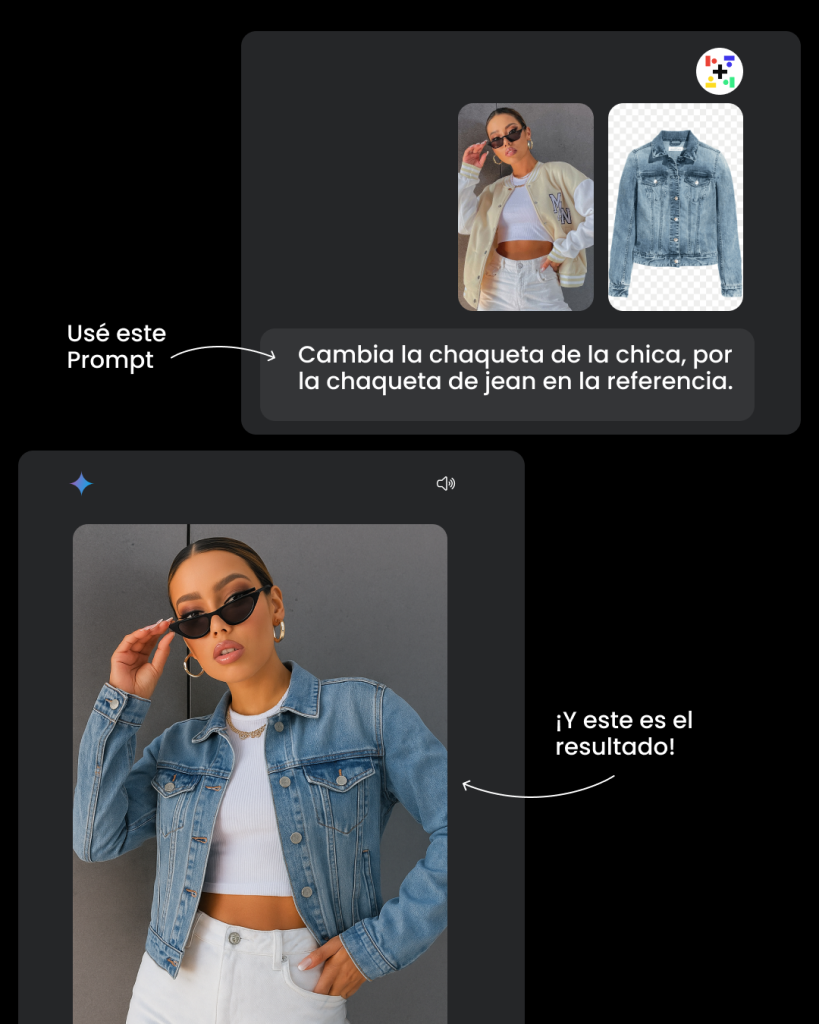
Expert tip: To achieve more consistent results when editing multiple images, you can ask Gemini to "maintain the consistency of this character" across different prompts.
Expert Tips: Prompts to Master AI Editing
To get the most out of Nano Banana, the key is in the prompt. It's not enough to say "make me a dog in space"; the AI needs more details to create the image you have in mind. A well-crafted prompt is like a recipe: it should be clear, specific, and detailed. Here are some elements you can include to get amazing results:
- Subject details: Describe the main subject. For example, instead of "a car," try "a classic red sports car."
- Action or setting: What is the subject doing or where is it? Don't just say "a cat," but "a Persian cat sleeping on a blue velvet armchair."
- Artistic style: Define the style you want. You can request "cartoon style," "realistic illustration," "oil painting," or "high-quality photography."
- Technical details: For a more professional result, add lighting or composition details. Think of phrases like "soft lighting," "dramatic light," "backlit by the sun," or "in a close-up."
Example of an advanced prompt:"a shiny retro-style robot, standing in a field of wildflowers. Golden sunset lighting. Oil painting style, with a soft spotlight on the robot."
With these tips, you won't just tell the AI what to create, but how to create it. This way, you'll go from being a basic user to a true AI editor, allowing you to get the most out of this incredible tool.
Is Nano Banana Free? And What Features Does It Offer?
One of the best news is that Nano Banana is free and can be used at no cost in the Gemini app. This represents a huge advantage compared to paid editing tools. Here are some of the features you can enjoy:
- Create and edit images: From scratch or from an existing photo.
- Blend images: Combine elements from multiple images into one.
- Add, remove, or change objects: You can remove an unwanted element or add something new to a scene.
- Generate variants: Create different versions of the same image to choose the one you like best.
- Change backgrounds: Replace your photo's background with any setting you can imagine.
 On ElGrupito you can get the platforms you use at a group price.
Is It Worth Paying for Gemini Advanced?
The big question many have is: does it really pay off to invest in Gemini Advanced (now Google AI Pro) to access tools like Nano Banana? The short answer is yes, especially if you're a content creator, student, or professional looking to fully leverage the potential of artificial intelligence.
Gemini Advanced, Google's Artificial Intelligence, offers more powerful models, exclusive features, and access to premium tools that exponentially boost your productivity. However, the official price can be a barrier for many.
👉 Official price of Gemini Advanced: around $19.99 USD/month.
👉 Price at ElGrupito: check the current group price in the catalogue. The shared subscription is 100% original and comes with a service guarantee.
This means you can get all the premium features of Gemini Advanced at a group price thanks to ElGrupito's value proposition. This innovative platform allows you to share premium subscriptions through smart virtual groups, legally and securely, letting you enjoy the full plan without paying the full individual price.
Nano Banana vs. Other AI Tools: Which Is Better?
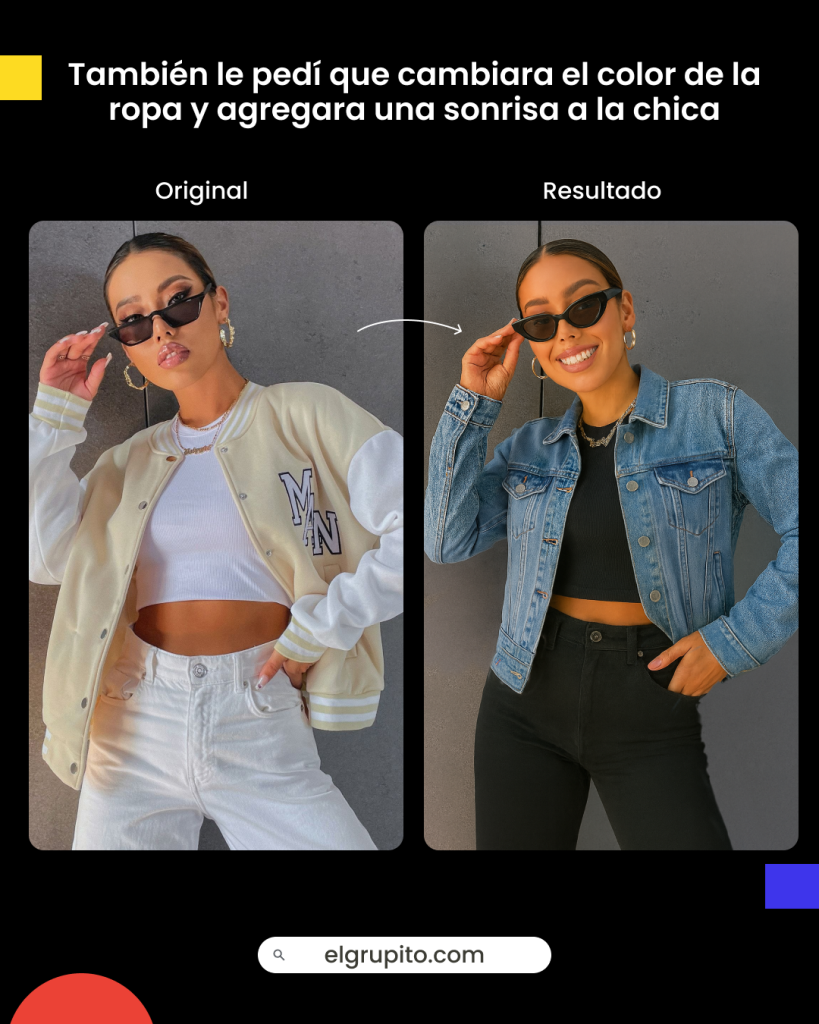
The artificial intelligence market is full of options, but Nano Banana stands out for its accessibility and free editing power. One of its biggest advantages is that it preserves the original characteristics of the image when applying enhancements or edits, achieving more natural results that are faithful to the original content. While platforms like Canva Pro offer useful AI features, many of their most advanced capabilities are locked behind a paywall.
On the other hand, ChatGPT and other conversational AIs focus more on text generation and task assistance, making them powerful for productivity and writing, but they aren't specifically designed for creative or visual editing. In most cases, to access their true potential you need to pay for a premium subscription.
In light of this, Nano Banana offers for free tools that other services only provide under paid plans, making it an ideal alternative for students, content creators, and small businesses looking for professional results without needing to invest in expensive software.
Get Google AI Pro (Gemini) at a group price
Share a premium subscription through ElGrupito and save up to 70%. Check today's price in the catalogue.
See the price on ElGrupitoIs It Worth Using Google's Nano Banana?
The arrival of Nano Banana is excellent news for those looking to boost their creativity without budget limitations. This Google tool, integrated into the Gemini app, democratizes image editing with artificial intelligence, allowing anyone to create, retouch, and modify images in a simple, fast, and intuitive way.
Additionally, it stands out against other solutions for its ability to maintain fidelity to the original image, something that alternatives like ChatGPT and other paid AIs don't always achieve. With near-instant response times and free access, Nano Banana represents not only a technological leap but also an opportunity for students, content creators, and small businesses who need professional results without paying for expensive software.
In conclusion, it is worth using Nano Banana, as it combines accessibility, quality, and speed in a single environment. It's a clear example of how digital platforms are evolving to offer more features, less cost, and a better user experience.
Frequently Asked Questions (FAQ) About Nano Banana
Generally, they're stored in Google Drive, which makes it easy to organize and access them from any device.
Nano Banana excels at maintaining character and scene consistency across edits, handling multiple images coherently, and responding very quickly to prompts. Compared to DALL·E or MidJourney, it stands out for its integration into the Google ecosystem and its ease of iterative editing.
Very fast: while other tools take 10 to 15 seconds per image, Nano Banana usually generates results in just 1 to 2 seconds.
Yes, one of its main advantages is that it preserves key features and visual coherence, even after multiple edits. This is ideal for portraits, brand content, advertising campaigns, and more.
Some reported limitations include:
- Occasional failures in synthesis or generating the image after multiple prompts (synthesis errors).
- Possible quality degradation after successive edits.
- Inconsistent handling of light, color, or tone in complex environments.