
Microsoft 365 vs Office 2021: Which One Is Right for You in 2026?
Microsoft 365 vs Office 2021: differences in price, features, cloud services and updates. A 2026 comparison table and which license suits your profile.
Did you know that the choice between Microsoft 365 vs Office 2021 could impact your productivity as much as choosing between a smartphone and a basic phone? The difference goes far beyond price: it's about how you work, collaborate, and stay up to date in the digital world.
We understand that every user has unique preferences, and that's why we help you make the best decision without compromising your budget. Discover how these two Microsoft options can adapt to your work style and which one offers a better way to invest in digital productivity.
Microsoft 365 vs Office 2021: Which one suits you best?
Choosing between Microsoft 365 and Office 2021 can make a big difference in your productivity and wallet. While Microsoft 365 works as a subscription that keeps you always up to date with the latest tools and features, Office 2021 is perfect if you prefer making a one-time payment and don't need extras.
The final decision will depend on your work style: if you need real-time collaboration and cloud storage, Microsoft 365 is your best bet. If you're looking for something more basic without monthly commitments, an Office 2021 license will cover you perfectly.

What Are the Differences Between Microsoft 365 and Office 2021?
Microsoft 365, formerly known as Office 365, is a subscription-based service that keeps you at the forefront with continuous access to the latest versions of Word, Excel, PowerPoint, and more. You don't just get the classic applications, but also Office 365 features like OneDrive, Teams, and regular updates that enhance your experience.
On the other hand, Office 2021 operates under a one-time payment model that gives you permanent access to the main applications. However, you're stuck with the features available at the time of purchase, without access to new features or advanced cloud storage services.
The crucial difference lies in flexibility: while Microsoft 365 constantly evolves with new tools and collaboration features, the Office 2021 license maintains a fixed set of basic features that, although complete, don't update significantly over time.
Payment model: subscription vs one-time purchase
The main difference between both options is how you pay for them. Microsoft 365 requires a monthly or annual subscription, although you can save considerably by opting for annual payment.
In contrast, Office 2021 works with a single upfront payment. Once you purchase your license, it's yours forever, with no need for additional payments. However, keep in mind that you won't receive new feature updates beyond basic security patches.
Which is more affordable? It all depends on your time horizon. If you plan to use Office for more than three years without needing advanced features, Office 2021 could be more cost-effective. But if you value having the latest updates and collaborative tools, the Microsoft 365 subscription offers better long-term value.

What is the advantage of having Microsoft 365?
The main advantage of having Microsoft 365 is continuous access to a complete productivity ecosystem, always updated, secure, and accessible from any mobile device or PC. Unlike Office 2021, Microsoft 365 works as a subscription service that includes key benefits that justify the Office 365 price:
Key advantages:
- Constant updates: You'll always have the latest versions of Word, Excel, PowerPoint, Outlook, and other apps, without having to pay for new licenses.
- Cloud storage: 1 TB on OneDrive per user, ideal for backups.
- Real-time collaboration: Edit documents simultaneously with your team using Teams and SharePoint.
- Cross-platform compatibility: Use it on PC, Mac, tablets, and smartphones with automatic syncing.
- Advanced AI features: Access to Microsoft 365 Copilot (on compatible subscriptions) to automate tasks, draft content, and optimize processes.
- Integrated enterprise security: Information protection, access control, and regulatory compliance for businesses.
Office 2021 Features
Microsoft Office 2021 shines with its one-time payment model: you invest once and get permanent access to your favorite applications.
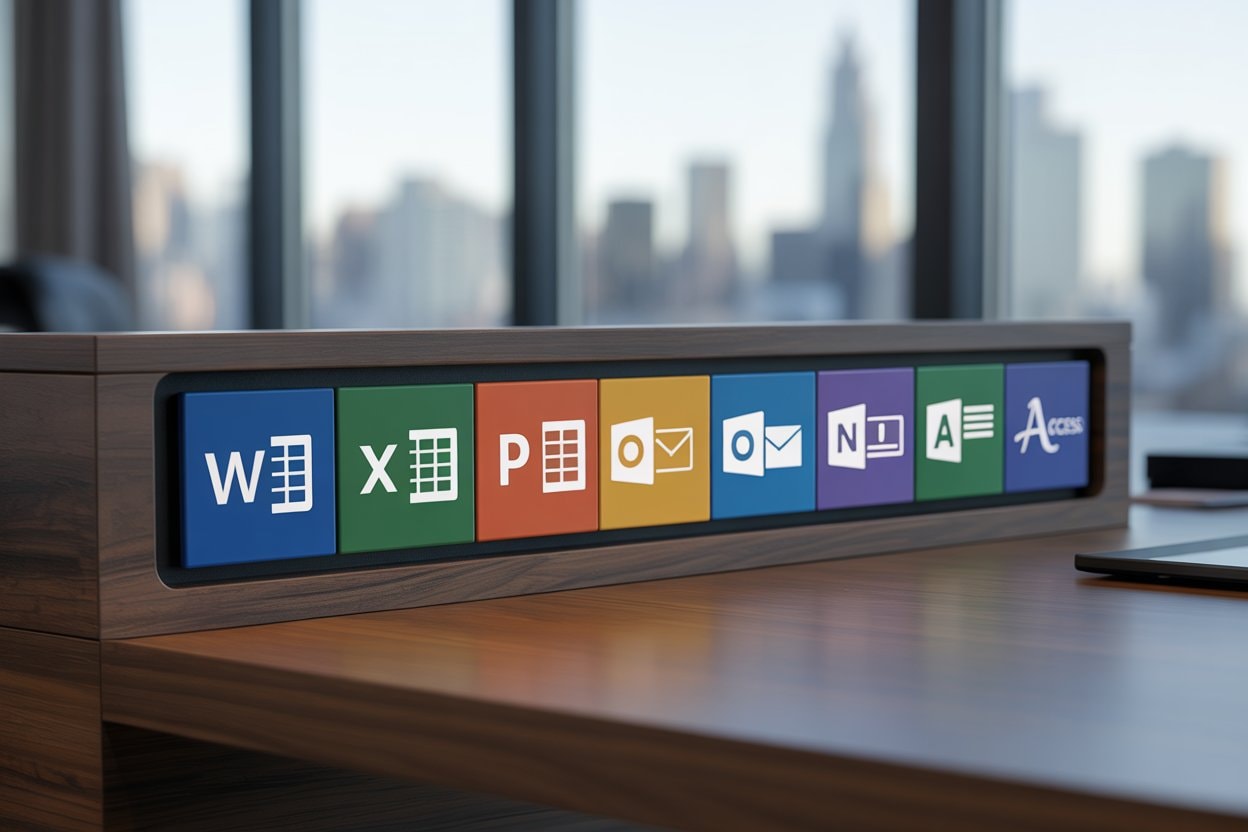
What does Office 2021 include?
- Word
- Excel
- PowerPoint
- Outlook
- OneNote
- Publisher (Windows only)
- Access (Windows only)
However, it's important to understand its limitations. Unlike Microsoft 365, Office 2021 only receives basic security patches, without access to new features that Microsoft develops after its release. Important: Office 2021 support ends on October 13, 2026, so it will stop receiving security updates after that date. It doesn't include OneDrive storage or the real-time collaboration capabilities that modern teams value so much.
You also won't have access to innovative artificial intelligence features like Copilot, and you can only install the software on a single device.
Get your Office 2021 license on ElGrupito
Which is better, Office 2021 or 2024?
Office 2024 is superior if you want a more current office suite, with improvements in performance, accessibility, and features optimized for Windows 11, which aren't available in Office 2021. It also has greater compatibility with Windows 11, a more polished interface, and extended support from Microsoft.
On the other hand, Office 2021 remains a valid option if you already have it installed or if you only need the basic tools (Word, Excel, PowerPoint, Outlook).
If you're buying for the first time or need greater longevity and stability going forward, Office 2024 is the best choice.
If you're looking to save and new features aren't essential for you, Office 2021 still does the job well.
Key features comparison table
Looking to better understand the differences between Microsoft 365 and Office 2021? This comparison will help you make an informed decision:
| Feature | Microsoft 365 | Office 2021 |
|---|---|---|
| Payment method | Monthly/annual subscription | One-time payment |
| Updates | Constant and automatic | Security patches only |
| Cloud storage | 1 TB on OneDrive | Not included |
| Allowed devices | PC, Mac, Android mobile (cross-platform) | 1 device only |
| Real-time collaboration | Yes, with Teams and SharePoint | Not available |
| Copilot (AI) | Limited access with AI credits; Copilot Pro available as an add-on ($20/month) | Not available |
| Access with ElGrupito | From $4.68/month | $11.50 one-time payment |
Compatibility ranges from desktop PCs to mobile devices with Microsoft 365, while Office 2021 is limited to a single installation on PC or Mac. The choice will depend on your preferences: if you need mobility and collaboration, Microsoft 365 is your best option; if you prefer something more basic without recurring payments, Office 2021 will work perfectly. Both include the Word, Excel, PowerPoint package and more.
Collaboration tools and cloud services
Microsoft 365 especially shines in collaborative interaction thanks to its deep integration with cloud services. Simultaneous resource editing allows multiple team members from small and medium businesses to work on the same file in real time, offering instant solutions without version conflicts.
Microsoft 365's web applications offer a seamless experience from any browser, eliminating the need for local installations. Access your documents from the office, home, or while traveling. You just need an internet connection.
Teams and SharePoint integrate perfectly with Office applications, creating a complete productive ecosystem. Share files, manage projects, access your email, and maintain conversations in the same space.

Device compatibility
Microsoft 365's flexibility shines by allowing installations on multiple devices simultaneously. You can work seamlessly on your desktop PC, Mac laptop, Android tablet, or iPhone, automatically syncing your documents through OneDrive.
Office 2021, on the other hand, limits your installation to a single device. Although performance is robust on both Windows and macOS, it lacks the cross-platform adaptability of its subscription counterpart.
Performance is consistent across all platforms with Microsoft 365, with optimized interfaces for each device. Web apps offer a seamless experience in browsers, while mobile versions maintain essential functionality for work on the go. Office 2021 maintains solid performance but is limited to its designated desktop environment.
Support and updates
Microsoft 365 receives continuous support and automatic protection, security, and feature updates. Office 2021 only gets critical security patches until the end of its support cycle, without access to new features.
Recommendations by user profile
For students
Students will find Microsoft 365 an ideal ally thanks to its collaborative interaction tools and OneDrive storage to keep their files safe.

For professionals and businesses
Need help choosing the right Microsoft 365 plan for your business? In professional environments, Microsoft 365 offers much more than classic applications like Word and Excel. It's a comprehensive productivity and collaboration platform, designed to provide solutions for today's demands of hybrid work, data security, and automation.
Microsoft 365 for small and medium businesses stands out for offering a complete and modern productivity experience. Thanks to its constant updates, there's no need to reinvest in licenses. Its advanced enterprise security protects your data with encryption, conditional access, and regulatory compliance, making it ideal for corporate environments.
Additionally, with the integration of Copilot, the artificial intelligence assistant, you can automate tasks, generate content, analyze data, and improve administrative efficiency. Real-time collaboration allows teams to work simultaneously, coordinate from Microsoft Teams, share files through SharePoint, and keep all communication unified.
Finally, its cross-platform access ensures you can work from any device (PC, Mac, tablet, or mobile), with cloud synchronization through OneDrive and web applications accessible from anywhere.
For families and casual users
If you're looking for basic features without complications, Office 2021 might be enough. However, the Microsoft 365 family plan offers better value when multiple users need access to the applications.
For remote work
Remote workers need Microsoft 365 for its cross-platform access, cloud storage, and real-time collaboration. Integration with Teams facilitates communication and coordination from any location.

Get Microsoft 365 at a group price
Share a premium subscription through ElGrupito and save up to 70%. Check today's price in the catalogue.
See the price on ElGrupitoAffordable alternatives
If you're looking for a legal, secure, and affordable way to use Microsoft 365 or Office 2021 without paying the full price, ElGrupito is the ideal solution. Through shared subscriptions, you can get Microsoft 365 at a group price, with all features activated and access to advanced applications like Teams, SharePoint, and Copilot (depending on the plan). This alternative is perfect for professionals, students, and small and medium businesses that need enterprise-level performance without compromising their budget.
For those who prefer a one-time payment solution, ElGrupito also offers Office 2021 licenses, with Word, Excel, PowerPoint, and more. It's the ideal option if you don't need cloud features or subscriptions, but want stability and permanent access to the classic applications.
Both versions are delivered with guaranteed activation and support, making ElGrupito a reliable option for accessing official Microsoft applications without overspending. Plus, their periodic promotions make these solutions even more attractive for those looking to maximize their software investment.
Conclusion
The decision between Microsoft 365 and Office 2021 doesn't have to be a financial headache. With ElGrupito, both options become more accessible, allowing you to choose the one that best fits your needs without sacrificing quality or functionality.
Ultimately, the best choice will depend on your work style: if you value flexibility, collaboration, and staying current, a Microsoft 365 subscription is your ideal ally. If you prefer a simpler solution without monthly commitments, Office 2021 will provide you with all the essential tools you need to shine in your day-to-day work.
Frequently asked questions
Yes, you can install both on the same device, but it's not recommended. Having Office 2021 and Microsoft 365 simultaneously can cause conflicts, such as activation issues or errors when opening files. If you do, make sure to use separate installations of both applications to avoid conflicts (for example, one version installed locally and another web-based) and don't run them at the same time. For most users, choosing a single product is the most stable option.
Office 2021 is currently the most stable version if you prefer environments without frequent changes. Since it doesn't receive new features or major updates, it maintains a consistent experience over time. On the other hand, Microsoft 365 constantly evolves, which means more features, but this can affect stability on older or poorly optimized computers.
The best plan for small businesses is usually the Business Standard subscription. This includes:
- Word, Excel, PowerPoint, Outlook
- Teams, SharePoint, and Exchange
- 1 TB of OneDrive storage per user
- Ability to install on multiple devices per user
If you only need desktop applications without corporate email, the Business Basic or Apps for Business plan may be more affordable.
- Microsoft 365 is ideal for users who need real-time collaboration, cloud backup, multi-platform use, and constant updates.
- Office 2021 is perfect if you need a classic suite without recurring payments or constant internet connection, and prefer a stable environment.
Yes. Microsoft allows you to buy individual licenses for apps like PowerPoint, Project, or Visio, but prices tend to be proportionally higher. In general, complete packages (like Office 2021 or Microsoft 365) are more affordable and functional for most users. Some versions of Microsoft 365 also include Visio and Project as optional add-ons.
No. Microsoft 365 Copilot is not included in standard Microsoft 365 plans. Currently, it's a paid add-on offered in enterprise environments starting at:
- Copilot for Microsoft 365: $30 USD/user/month (reference price)
This price may vary by region or license type. Copilot is designed for users who require advanced automation and content generation with artificial intelligence.
To get Microsoft 365 Copilot, you need to meet certain technical and licensing requirements, as it's not automatically included in all plans. Copilot is an artificial intelligence tool integrated into apps like Word, Excel, PowerPoint, and Outlook, designed to boost productivity through writing, automation, and intelligent data analysis.
Requirements to access Microsoft 365 Copilot:
- Compatible Microsoft 365 license: A subscription such as Business Standard, Business Premium, E3 or E5 is required
- Copilot paid add-on: You must purchase the Copilot for Microsoft 365 add-on, with an official price of $30 USD/user/month (may vary by region)
- Administrative access: An administrator must enable Copilot from the Microsoft 365 admin center, assign it to users, and verify they meet the technical requirements.
Microsoft 365 Personal and Family plans include limited access to Copilot through monthly AI credits. For the full Copilot experience, you can add Copilot Pro for $20 USD/month. The business version (Copilot for Microsoft 365) is available for $30 USD/user/month on Business and Enterprise plans.
Both are compatible, but:
- Microsoft 365 is ideal if you want to use Office on Mac, iPhone, iPad, and browser, with syncing and updates included.
- Office 2021 for Mac is a valid option if you prefer a one-time payment and use limited to a single device.
Both versions are available on ElGrupito with prices tailored to your usage style.
Not necessarily. You can use Microsoft 365 desktop applications offline, such as Word, Excel, and PowerPoint, as long as you have an active license.
However, periodic connection is required to:
- Validate your subscription
- Download updates
- Use OneDrive or Copilot
- Access web apps and work collaboratively